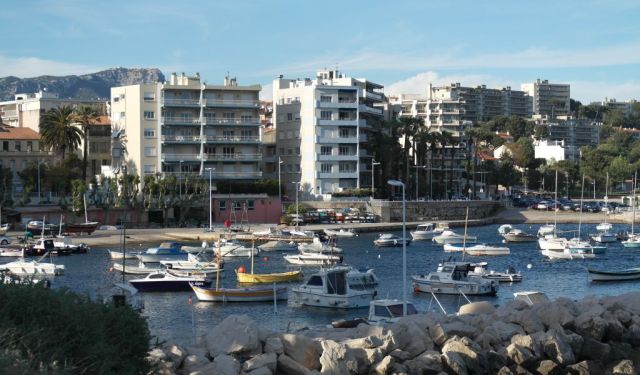


Toulon Introduction Walking Tour (Self Guided), Toulon
Sitting pretty on the Côte d'Azur, Toulon blends history, sunshine, and Mediterranean charm effortlessly. Founded by the Romans as a strategic naval stronghold, it quickly became France's star naval port-an irresistible target for ambitious conquerors and pesky pirates alike. Its massive, naturally sheltered harbor is among Europe's largest, a fact the city has never been shy about boasting.
Toulon's history took center stage in 1793 during the famous Siege of Toulon, when a certain young Corsican named Napoleon first flexed his military muscles. Later, in World War II, the city found itself once again in the spotlight-and under fire-as battles and bombardments left lasting scars still visible today.
Nowadays, Toulon celebrates its maritime past at the National Navy Museum, packed with ship models, artifacts, and stories of heroic escapades. Stroll into the Old Town, too, and you'll be charmed by cozy cafés, shady squares for people-watching, and high-end retail spaces like Galeries Lafayette.
Toulon's modern side buzzes too-with festivals, concerts, and even rugby matches. Plus, the Mediterranean climate means endless opportunities to savor Provençal cuisine, fresh seafood, and perhaps a glass or two of local wine.
Ready to uncover the stories hidden in Toulon's sunlit streets? Slip into your most comfortable shoes and let our self-guided tour reveal every delightful corner of this Mediterranean marvel!
Toulon's history took center stage in 1793 during the famous Siege of Toulon, when a certain young Corsican named Napoleon first flexed his military muscles. Later, in World War II, the city found itself once again in the spotlight-and under fire-as battles and bombardments left lasting scars still visible today.
Nowadays, Toulon celebrates its maritime past at the National Navy Museum, packed with ship models, artifacts, and stories of heroic escapades. Stroll into the Old Town, too, and you'll be charmed by cozy cafés, shady squares for people-watching, and high-end retail spaces like Galeries Lafayette.
Toulon's modern side buzzes too-with festivals, concerts, and even rugby matches. Plus, the Mediterranean climate means endless opportunities to savor Provençal cuisine, fresh seafood, and perhaps a glass or two of local wine.
Ready to uncover the stories hidden in Toulon's sunlit streets? Slip into your most comfortable shoes and let our self-guided tour reveal every delightful corner of this Mediterranean marvel!
How it works: Download the app "GPSmyCity: Walks in 1K+ Cities" from Apple App Store or Google Play Store to your mobile phone or tablet. The app turns your mobile device into a personal tour guide and its built-in GPS navigation functions guide you from one tour stop to next. The app works offline, so no data plan is needed when traveling abroad.
Download The GPSmyCity App



Toulon Introduction Walking Tour Map
Guide Name: Toulon Introduction Walking Tour
Guide Location: France » Toulon (See other walking tours in Toulon)
Guide Type: Self-guided Walking Tour (Sightseeing)
Tour Duration: 2 Hour(s)
Travel Distance: 2.2 Km or 1.4 Miles
Guide Location: France » Toulon (See other walking tours in Toulon)
Guide Type: Self-guided Walking Tour (Sightseeing)
Tour Duration: 2 Hour(s)
Travel Distance: 2.2 Km or 1.4 Miles
Sights Featured in This Walk






The Most Popular Cities
/ view all