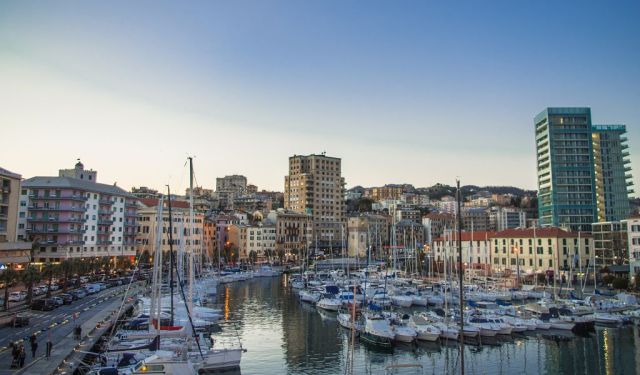


Savona Introduction Walking Tour (Self Guided), Savona
Once upon a time-or more precisely, a very long time ago-Savona sprang to life on the Ligurian coast. From its earliest days as a humble Ligurian tribal settlement, this city quickly found its sea legs, evolving into a Roman port known as Savo Oppidum Alpinum. Maritime trade thrived here, and so did competition with neighboring Genoa. By the Middle Ages, noble families like the Dorias steered Savona’s ships, fueling its rise as a commercial powerhouse. But history has its stormy waters-when Genoa finally had enough of Savona’s impertinence, they gave the city a pretty serious timeout in 1528, toppling fortifications and curbing its port activity.
Despite such setbacks, Savona would not sail quietly into obscurity. The city can claim not one, but two papal sons: Pope Sixtus IV, mastermind of the Sistine Chapel in Vatican City, and his ambitious nephew, Pope Julius II, whose Renaissance patronage gifted the world works by Michelangelo and Raphael.
By the Napoleonic era, Savona was under French control, playing host to a pope-in-exile, Pius VII, from 1809 to 1812. When Napoleon’s empire waned, Savona found itself incorporated into the Kingdom of Sardinia, and later into a unified Italy in 1861.
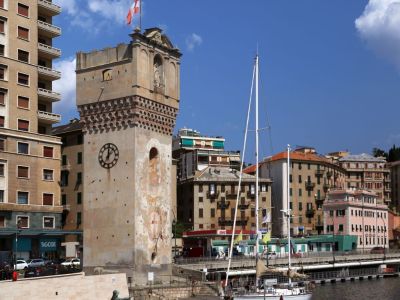
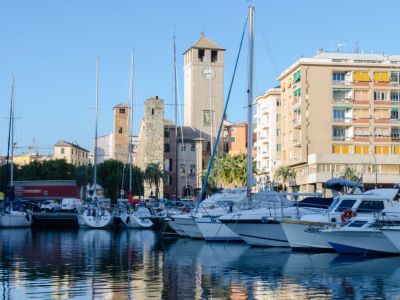
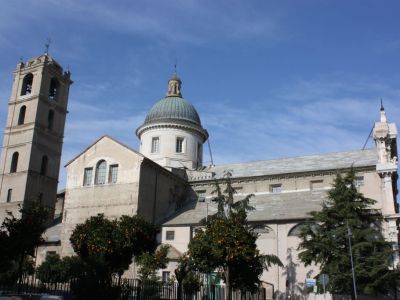
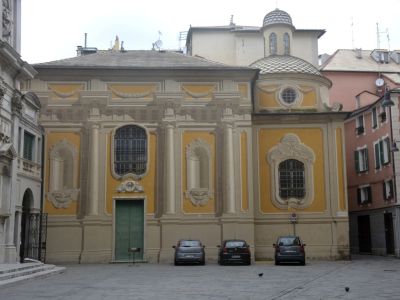
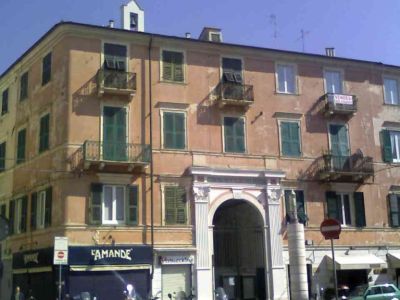
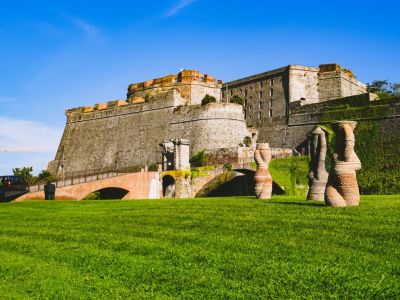
Today, this charming city blends its historic grit with coastal beauty. Explore the Priamar Fortress, a Genoese stronghold perched where Savona’s medieval heart once beat. Marvel at the Savona Cathedral’s artistic treasures or the lesser-known but equally significant Sistine Chapel of Savona. Take in the views from the medieval Leon Pancaldo Tower or stroll Corso Italia’s bustling shopping district. There’s also a Renaissance palace once owned by the powerful Della Rovere family, known for its grandiose architecture and historical significance
Ready to dive in? Follow our self-guided walking tour-it’s your ticket to uncovering all these attractions and more.
Despite such setbacks, Savona would not sail quietly into obscurity. The city can claim not one, but two papal sons: Pope Sixtus IV, mastermind of the Sistine Chapel in Vatican City, and his ambitious nephew, Pope Julius II, whose Renaissance patronage gifted the world works by Michelangelo and Raphael.
By the Napoleonic era, Savona was under French control, playing host to a pope-in-exile, Pius VII, from 1809 to 1812. When Napoleon’s empire waned, Savona found itself incorporated into the Kingdom of Sardinia, and later into a unified Italy in 1861.
Today, this charming city blends its historic grit with coastal beauty. Explore the Priamar Fortress, a Genoese stronghold perched where Savona’s medieval heart once beat. Marvel at the Savona Cathedral’s artistic treasures or the lesser-known but equally significant Sistine Chapel of Savona. Take in the views from the medieval Leon Pancaldo Tower or stroll Corso Italia’s bustling shopping district. There’s also a Renaissance palace once owned by the powerful Della Rovere family, known for its grandiose architecture and historical significance
Ready to dive in? Follow our self-guided walking tour-it’s your ticket to uncovering all these attractions and more.
How it works: Download the app "GPSmyCity: Walks in 1K+ Cities" from Apple App Store or Google Play Store to your mobile phone or tablet. The app turns your mobile device into a personal tour guide and its built-in GPS navigation functions guide you from one tour stop to next. The app works offline, so no data plan is needed when traveling abroad.
Download The GPSmyCity App



Savona Introduction Walking Tour Map
Guide Name: Savona Introduction Walking Tour
Guide Location: Italy » Savona (See other walking tours in Savona)
Guide Type: Self-guided Walking Tour (Sightseeing)
Tour Duration: 1 Hour(s)
Travel Distance: 1.7 Km or 1.1 Miles
Tour Best Suited For: First-time visit
Guide Location: Italy » Savona (See other walking tours in Savona)
Guide Type: Self-guided Walking Tour (Sightseeing)
Tour Duration: 1 Hour(s)
Travel Distance: 1.7 Km or 1.1 Miles
Tour Best Suited For: First-time visit
Sights Featured in This Walk
The Most Popular Cities
/ view all