

Jaipur Landmarks Walking Tour, Jaipur

Jaipur Landmarks Walking Tour (Self Guided), Jaipur

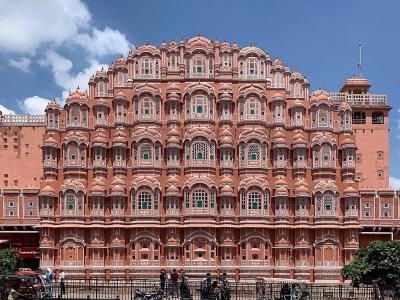
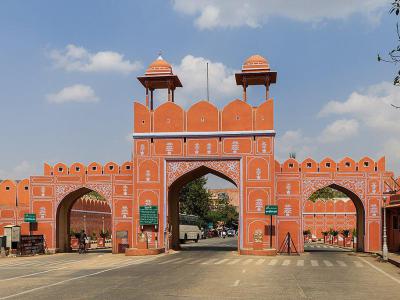
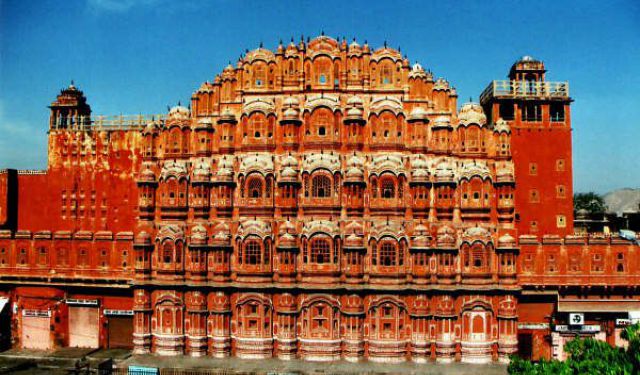
Jaipur is also known as the Pink City because of the many pink sandstone buildings around. These beautiful buildings help make Jaipur one of India’s most impressive places. There are plenty of other great landmarks around the city that you can see using our Landmarks Walking Tour.
How it works: Download the app "GPSmyCity: Walks in 1K+ Cities" from Apple App Store or Google Play Store to your mobile phone or tablet. The app turns your mobile device into a personal tour guide and its built-in GPS navigation functions guide you from one tour stop to next. The app works offline, so no data plan is needed when traveling abroad.

Download The GPSmyCity App

Jaipur Landmarks Walking Tour Map

Map Instructions: (1) Click the "Nearby Sights" button to view the nearby attractions; (2) click a map pin to see sight information.

Guide Name: Jaipur Landmarks Walking Tour
Guide Location: India » Jaipur (See other walking tours in Jaipur)
Guide Type: Self-guided Walking Tour (Sightseeing)
Tour Duration: 4 Hour(s)
Travel Distance: 10.0 Km or 6.2 Miles

Sights Featured in This Walk

WalkBuilder (customize this walk)


Use the WalkBuilder tool below to customize this walk to suit your interests. Instructions: click at the upper right corner in the map above to view other sights in the city. To learn more about a sight, click a map pin. Click the “+” or “–” to add or remove a sight from the walk. To reorder the selected sights, simply drag and move them up or down the list in the left column.
Click here to view route map
Enter a name for your custom walk, along with your email address, in the fields below. You will receive the instructions for retrieving your custom walk in the GPSmyCity app by email. The GPSmyCity app offers turn-by-turn travel directions to guide you from one attraction to the next.
Walk Name*:
Email*:

Frequently Asked Questions


1. How do I access my walking tour in Jaipur?
Save your walking tour on the website. Then download the GPSmyCity app from the Apple App Store or Google Play Store and sign in to your GPSmyCity account. Next, download “Jaipur Map and Walking Tours” within the app. Your walk will appear on the Walks screen.

2. How do I view other attractions in Jaipur?
At the upper-right corner of the map above, click the “Nearby Sights” button to show or hide other sights in the city. Click a map pin to view details about a sight. To add a sight to your walk, find it in the right column of the WalkBuilder tool above and click the “+” button next to it.

3. How do I re-arrange the sight order?
In the left column of the WalkBuilder tool, drag a sight to move it up or down the list. Then click “Click here to view route map”. Repeat this process until the route meets your needs.

4. Can I add my hotel to a walking tour?
Yes. You can add your hotel as the starting point, the ending point, or both (creating a loop route). This feature is currently available only in the GPSmyCity app.

5. Can I add my own sights to a walking tour?
Yes. You can add sightss that are not in our database and include them in your walk. To do so, sign in to your GPSmyCity account on the website or use the GPSmyCity app.

6. How many sights can be included in a walking tour?
For technical reasons, the number of sights in a walking tour is currently capped at 20. This limit may be increased over time.