

Audio Guide: Mostar Introduction Walking Tour (Self Guided), Mostar
The name Mostar comes from the Slavic word most, meaning “bridge.” During the Ottoman period, the men who guarded the crossing over the Neretva River were called mostari, meaning “bridge keepers.” Their title eventually gave the city its name.
People have lived in the Neretva valley since prehistoric times, and traces of Roman presence can still be found nearby. The first written mention of Mostar dates to 1452, when it appeared as part of the Bosnian frontier. Its location made it a vital link between the Adriatic coast and Bosnia’s mineral-rich interior, with merchants and travelers gathering around a wooden bridge that connected both banks of the river.
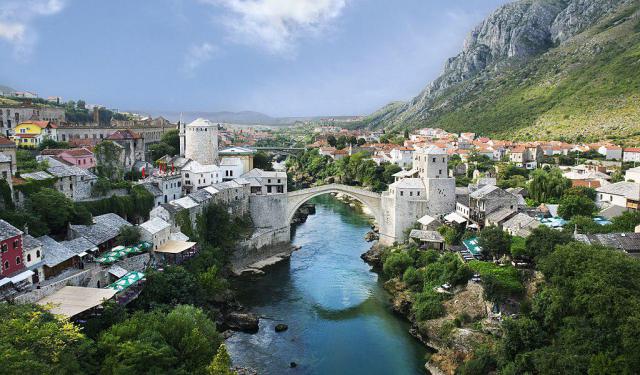
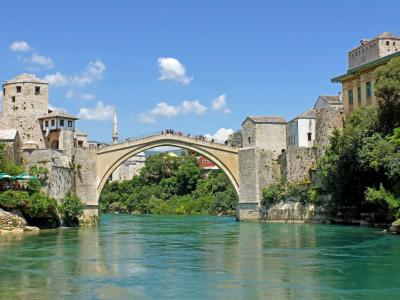
Under Ottoman rule, Mostar flourished. In 1566, the elegant stone Old Bridge replaced the wooden structure and became the heart of the city. The surrounding settlement grew into a fortified town, and the bridge keepers’ legacy remained central to everyday life.
When the Austro-Hungarian Empire took control in 1878, the city became Herzegovina’s main urban centre. Streets were modernised, industries expanded, and Mostar began to reflect both Ottoman grace and European refinement. In the 20th century, it entered the modern era as part of the Kingdom of Yugoslavia, later socialist Yugoslavia, evolving into a thriving industrial and cultural hub.
During the Bosnian War of the 1990s, Mostar was heavily damaged and divided along ethnic lines. In 1993, its beloved Old Bridge was destroyed, yet, in a powerful gesture of resilience, it was rebuilt and reopened in 2004. Today, the restored bridge and surrounding old town are a UNESCO World Heritage Site.
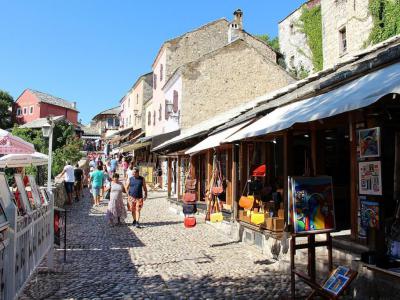
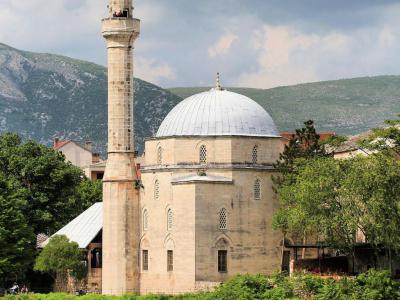
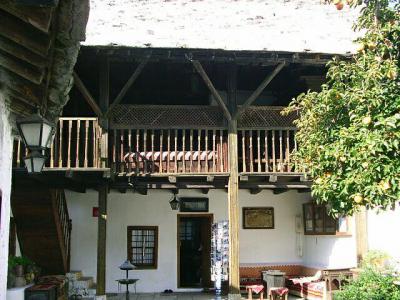
In the heart of the city, visitors encounter cobbled streets lined with Ottoman-era houses, mosques, and craft shops selling copperware and rugs. The Old Bazaar hums with the rhythm of daily life, while the Koski Mehmed Pasha Mosque offers panoramic views over the river. Together, Ottoman domes, Mediterranean courtyards, and Austro-Hungarian façades form a skyline that tells centuries of intertwined stories.
People have lived in the Neretva valley since prehistoric times, and traces of Roman presence can still be found nearby. The first written mention of Mostar dates to 1452, when it appeared as part of the Bosnian frontier. Its location made it a vital link between the Adriatic coast and Bosnia’s mineral-rich interior, with merchants and travelers gathering around a wooden bridge that connected both banks of the river.
Under Ottoman rule, Mostar flourished. In 1566, the elegant stone Old Bridge replaced the wooden structure and became the heart of the city. The surrounding settlement grew into a fortified town, and the bridge keepers’ legacy remained central to everyday life.
When the Austro-Hungarian Empire took control in 1878, the city became Herzegovina’s main urban centre. Streets were modernised, industries expanded, and Mostar began to reflect both Ottoman grace and European refinement. In the 20th century, it entered the modern era as part of the Kingdom of Yugoslavia, later socialist Yugoslavia, evolving into a thriving industrial and cultural hub.
During the Bosnian War of the 1990s, Mostar was heavily damaged and divided along ethnic lines. In 1993, its beloved Old Bridge was destroyed, yet, in a powerful gesture of resilience, it was rebuilt and reopened in 2004. Today, the restored bridge and surrounding old town are a UNESCO World Heritage Site.
In the heart of the city, visitors encounter cobbled streets lined with Ottoman-era houses, mosques, and craft shops selling copperware and rugs. The Old Bazaar hums with the rhythm of daily life, while the Koski Mehmed Pasha Mosque offers panoramic views over the river. Together, Ottoman domes, Mediterranean courtyards, and Austro-Hungarian façades form a skyline that tells centuries of intertwined stories.
How it works: Download the app "GPSmyCity: Walks in 1K+ Cities" from Apple App Store or Google Play Store to your mobile phone or tablet. The app turns your mobile device into a personal tour guide and its built-in GPS navigation functions guide you from one tour stop to next. The app works offline, so no data plan is needed when traveling abroad.
Download The GPSmyCity App



Mostar Introduction Walking Tour Map
Guide Name: Mostar Introduction Walking Tour
Guide Location: Bosnia-Herzegovina » Mostar (See other walking tours in Mostar)
Guide Type: Self-guided Walking Tour (Sightseeing)
Tour Duration: 1 Hour(s)
Travel Distance: 1.4 Km or 0.9 Miles
Guide Location: Bosnia-Herzegovina » Mostar (See other walking tours in Mostar)
Guide Type: Self-guided Walking Tour (Sightseeing)
Tour Duration: 1 Hour(s)
Travel Distance: 1.4 Km or 0.9 Miles
Sights Featured in This Walk
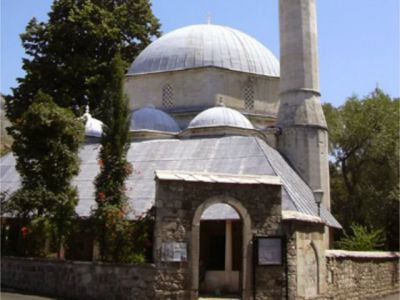
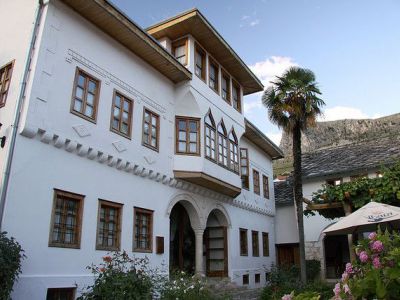
Walking Tours in Mostar, Bosnia-Herzegovina
Create Your Own Walk in Mostar
Creating your own self-guided walk in Mostar is easy and fun. Choose the city attractions that you want to see and a walk route map will be created just for you. You can even set your hotel as the start point of the walk.
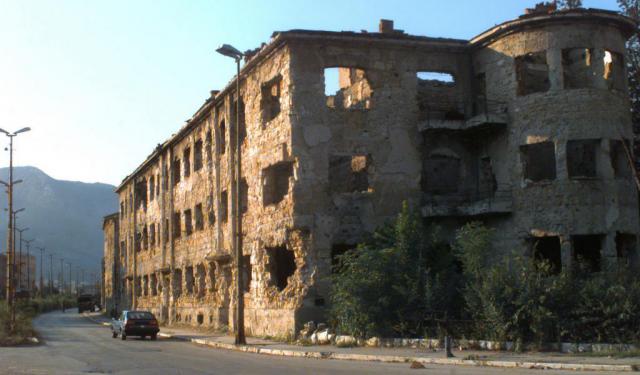
Bosnian War Tour
After the fall of Yugoslavia, there followed civil wars of particular savagery. In Bosnia, there were two distinct struggles. The first involved Serbs against Croats and Bosnians. The alliance of Croats and Bosnians proved effective, and the Serbs were repulsed. The Croats were mainly Christian, and the Bosnians were Muslim. There was antipathy between them.
The second part of the war was the... view more
Tour Duration: 1 Hour(s)
Travel Distance: 1.5 Km or 0.9 Miles
The second part of the war was the... view more
Tour Duration: 1 Hour(s)
Travel Distance: 1.5 Km or 0.9 Miles
The Most Popular Cities
/ view all