

Myrtle Introduction Walking Tour (Self Guided), Myrtle Beach
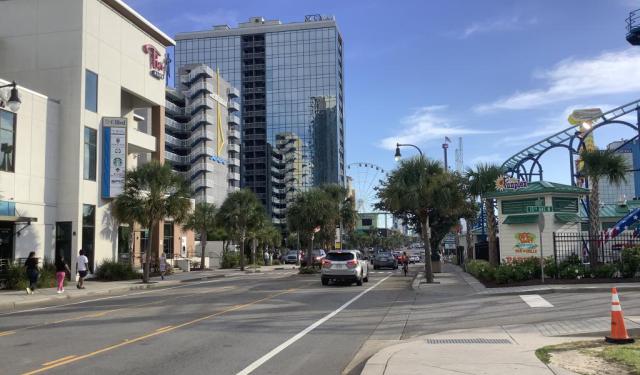
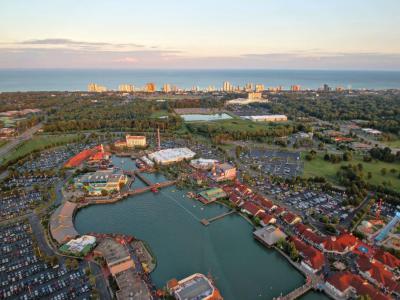
The resort city of Myrtle Beach, South Carolina, lies in the center of a continuous 60-mile (97 km) stretch of beach known as the "Grand Strand” on the East Coast of the United States. The warm subtropical climate, 86 golf courses, and 1,800 restaurants attracting annually over 20 million visitors make Myrtle Beach one of the state's major centers of tourism and one of the country's most visited destinations.
Located along the historic King's Highway (modern US Route 17), the region was once home to the Waccamaw people. During the colonial period, in the late 18th century, the Whither family settled in the area (a prominent local waterway, Wither's Swash, is named in their honor). Originally called "New Town" or "Withers", the settlement was targeted for development as a resort community by Franklin Burroughs, whose sons completed a railroad to the beach, in the early 1900s, and the first inn, Seaside Inn. His widow named the new community Myrtle Beach after the local wax-myrtle shrubs.
Soon afterward, the Withers post office changed its name to "Myrtle Beach". It was incorporated as a town in 1938 and as a city in 1957.
Today, Myrtle Beach beckons visitors with an array of attractions that cater to every interest. One can explore the lively atmosphere of Broadway at the Beach, a sprawling entertainment complex featuring shops, restaurants, and nightlife.
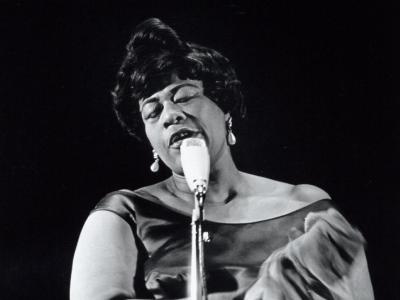
For those intrigued by marine life, Ripley's Aquarium provides a fascinating glimpse into underwater worlds, housing exotic sea creatures and interactive exhibits. Meanwhile, music history buffs can delve into the city's cultural heritage at Charlie's Place, a historic jazz club that once hosted legendary performers during the Jim Crow era (a period of racial segregation in the South).
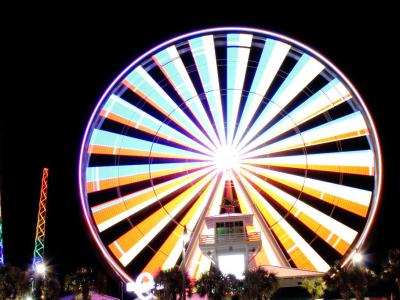
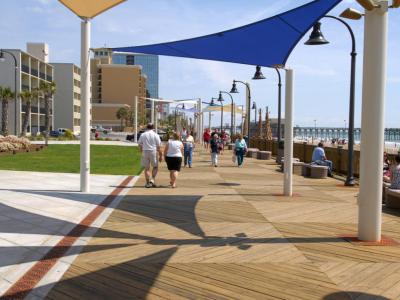
Thrill-seekers can ascend the SkyWheel for panoramic views of the coastline or stroll along the bustling Boardwalk, lined with shops, arcades, and eateries.
A trip to Myrtle Beach promises enjoyment to you and your family, as the town caters to all ages, ensuring a memorable time for everyone. If you're looking for an affordable vacation with a plethora of attractions, vying for your holiday budget, then look no further! Plan your getaway to Myrtle Beach now and experience its magic for yourself!
Located along the historic King's Highway (modern US Route 17), the region was once home to the Waccamaw people. During the colonial period, in the late 18th century, the Whither family settled in the area (a prominent local waterway, Wither's Swash, is named in their honor). Originally called "New Town" or "Withers", the settlement was targeted for development as a resort community by Franklin Burroughs, whose sons completed a railroad to the beach, in the early 1900s, and the first inn, Seaside Inn. His widow named the new community Myrtle Beach after the local wax-myrtle shrubs.
Soon afterward, the Withers post office changed its name to "Myrtle Beach". It was incorporated as a town in 1938 and as a city in 1957.
Today, Myrtle Beach beckons visitors with an array of attractions that cater to every interest. One can explore the lively atmosphere of Broadway at the Beach, a sprawling entertainment complex featuring shops, restaurants, and nightlife.
For those intrigued by marine life, Ripley's Aquarium provides a fascinating glimpse into underwater worlds, housing exotic sea creatures and interactive exhibits. Meanwhile, music history buffs can delve into the city's cultural heritage at Charlie's Place, a historic jazz club that once hosted legendary performers during the Jim Crow era (a period of racial segregation in the South).
Thrill-seekers can ascend the SkyWheel for panoramic views of the coastline or stroll along the bustling Boardwalk, lined with shops, arcades, and eateries.
A trip to Myrtle Beach promises enjoyment to you and your family, as the town caters to all ages, ensuring a memorable time for everyone. If you're looking for an affordable vacation with a plethora of attractions, vying for your holiday budget, then look no further! Plan your getaway to Myrtle Beach now and experience its magic for yourself!
How it works: Download the app "GPSmyCity: Walks in 1K+ Cities" from Apple App Store or Google Play Store to your mobile phone or tablet. The app turns your mobile device into a personal tour guide and its built-in GPS navigation functions guide you from one tour stop to next. The app works offline, so no data plan is needed when traveling abroad.
Download The GPSmyCity App



Myrtle Introduction Walking Tour Map
Guide Name: Myrtle Introduction Walking Tour
Guide Location: USA » Myrtle Beach (See other walking tours in Myrtle Beach)
Guide Type: Self-guided Walking Tour (Sightseeing)
Tour Duration: 2 Hours
Travel Distance: 4.3 Km or 2.7 Miles
Tour Best Suited For: First-time visit
Guide Location: USA » Myrtle Beach (See other walking tours in Myrtle Beach)
Guide Type: Self-guided Walking Tour (Sightseeing)
Tour Duration: 2 Hours
Travel Distance: 4.3 Km or 2.7 Miles
Tour Best Suited For: First-time visit
Sights Featured in This Walk

City Walks Overview
