


Naples Introduction Walking Tour (Self Guided), Naples
Sitting on the Gulf of Mexico, Naples, Florida is known mostly for its high-priced homes, pristine white-sand beaches, and numerous golf courses. Naples is the self-titled "Golf Capital of the World", having one of the highest numbers of golf holes per capita. The city is also known for its appeal to retirees, who make up a large percentage of the population.
The region was originally home to the indigenous Calusa people, who lived here for thousands of years before Spanish explorer Juan Ponce de León arrived in 1513. Naples was founded in 1886. Early promoters compared its mild climate and scenic bay to that of the famed coastal city of Naples in Italy. The comparison stuck and the place quickly gained popularity. By the 1880s, Naples, Florida, was marketed as a paradise for wealthy visitors seeking warmth and relaxation.
The mid-20th century saw its rapid expansion. In 1949, Naples officially became a city. Over the years, it has evolved into a place for high-end tourism and year-round living. Today, Naples is a premier waterfront destination.
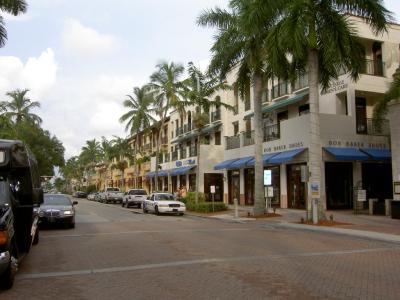
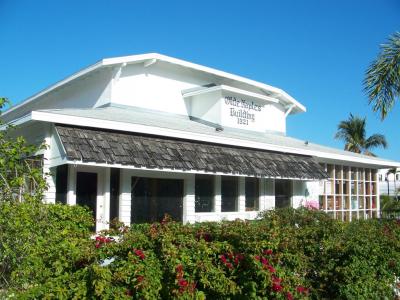
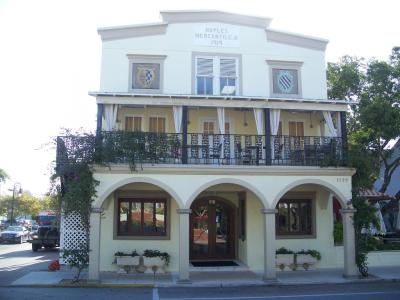
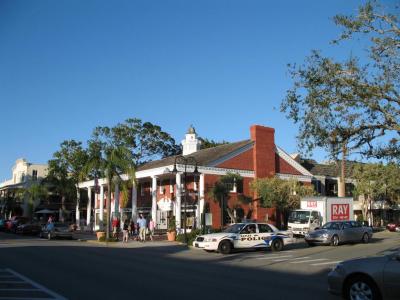
A walk through Naples blends past and present. Bayfront Place offers a waterfront escape with vibrant restaurants and boutiques, while Tin City, once a hub for commercial fishing, retains its rustic charm with tin-roofed buildings now housing shops and eateries. Nearby, Fifth Avenue South serves as the city’s main artery, lined with elegant galleries, fine dining, and historic architecture, including the Olde Naples Building, a nod to the city’s past. Similarly, the Naples Mercantile Building reflects the town’s early development, where businesses catered to both locals and seasonal visitors.
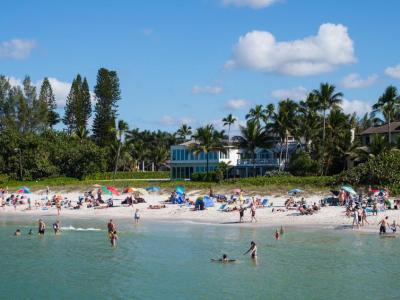
For those who appreciate history, Third Street South offers a picturesque setting with carefully preserved structures, leading to Palm Cottage, the oldest house in Naples. Built in 1895, this landmark tells the story of the city’s early settlers and their vision for a tropical retreat. Just a short distance away, the Naples Pier extends into the Gulf, a beloved spot for fishing, dolphin-watching, and catching the area’s famous sunsets. And, of course, no visit is complete without a stop at Naples Beach, where soft sands and calm waters invite relaxation at any time of the day.
Whether you’re here for history, shopping, or the simple pleasure of a beachside stroll, Naples offers a unique mix of old Florida charm and elegance. Explore the city, soak in the sunshine, and experience the timeless appeal that has drawn visitors for over a century.
The region was originally home to the indigenous Calusa people, who lived here for thousands of years before Spanish explorer Juan Ponce de León arrived in 1513. Naples was founded in 1886. Early promoters compared its mild climate and scenic bay to that of the famed coastal city of Naples in Italy. The comparison stuck and the place quickly gained popularity. By the 1880s, Naples, Florida, was marketed as a paradise for wealthy visitors seeking warmth and relaxation.
The mid-20th century saw its rapid expansion. In 1949, Naples officially became a city. Over the years, it has evolved into a place for high-end tourism and year-round living. Today, Naples is a premier waterfront destination.
A walk through Naples blends past and present. Bayfront Place offers a waterfront escape with vibrant restaurants and boutiques, while Tin City, once a hub for commercial fishing, retains its rustic charm with tin-roofed buildings now housing shops and eateries. Nearby, Fifth Avenue South serves as the city’s main artery, lined with elegant galleries, fine dining, and historic architecture, including the Olde Naples Building, a nod to the city’s past. Similarly, the Naples Mercantile Building reflects the town’s early development, where businesses catered to both locals and seasonal visitors.
For those who appreciate history, Third Street South offers a picturesque setting with carefully preserved structures, leading to Palm Cottage, the oldest house in Naples. Built in 1895, this landmark tells the story of the city’s early settlers and their vision for a tropical retreat. Just a short distance away, the Naples Pier extends into the Gulf, a beloved spot for fishing, dolphin-watching, and catching the area’s famous sunsets. And, of course, no visit is complete without a stop at Naples Beach, where soft sands and calm waters invite relaxation at any time of the day.
Whether you’re here for history, shopping, or the simple pleasure of a beachside stroll, Naples offers a unique mix of old Florida charm and elegance. Explore the city, soak in the sunshine, and experience the timeless appeal that has drawn visitors for over a century.
How it works: Download the app "GPSmyCity: Walks in 1K+ Cities" from Apple App Store or Google Play Store to your mobile phone or tablet. The app turns your mobile device into a personal tour guide and its built-in GPS navigation functions guide you from one tour stop to next. The app works offline, so no data plan is needed when traveling abroad.
Download The GPSmyCity App



Naples Introduction Walking Tour Map
Guide Name: Naples Introduction Walking Tour
Guide Location: USA » Naples (See other walking tours in Naples)
Guide Type: Self-guided Walking Tour (Sightseeing)
Tour Duration: 2 Hours
Travel Distance: 3.6 Km or 2.2 Miles
Tour Best Suited For: First-time visit
Guide Location: USA » Naples (See other walking tours in Naples)
Guide Type: Self-guided Walking Tour (Sightseeing)
Tour Duration: 2 Hours
Travel Distance: 3.6 Km or 2.2 Miles
Tour Best Suited For: First-time visit
Sights Featured in This Walk



8
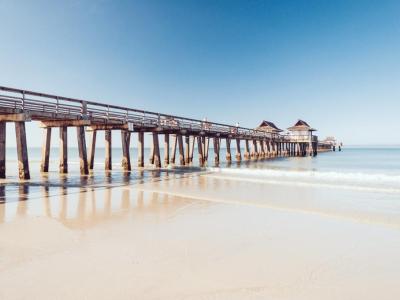
8) Naples Pier (must see)
City Walks Overview
