

Audio Guide: Chania Introduction Walking Tour (Self Guided), Chania
Nineteenth-century English traveler Robert Pashley swore Chania “will repay the traveler a hundredfold.” The story of Chania stretches deep into antiquity. Its earliest name, Kydonia, appears in the epic works of Greek poet Homer and is thought to derive from the quince fruit that once grew in abundance here. Archaeological evidence shows that as early as the 14th century BC, the Minoans built a significant settlement on this site-part of their wider Bronze Age civilization that flourished across Crete. After the decline of the Minoans, the Dorians arrived around 1100 BC, establishing their own presence.
In the centuries that followed, the city prospered under classical Greek influence before becoming part of the Roman Empire in the 1st century BC. The city’s Roman villas and mosaics still testify to the prosperity of this era. By the 4th century AD, Chania entered the Byzantine sphere, with its fortifications strengthened to withstand repeated Arab raids that swept across the Aegean in the 8th and 9th centuries.
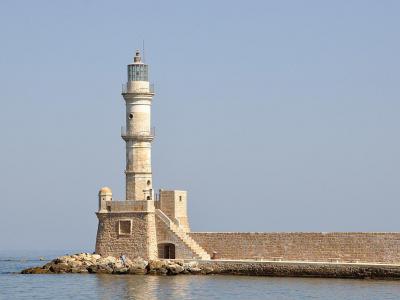
A new chapter began in 1252, when the Venetians secured Crete and reshaped Chania into a thriving commercial hub. For nearly four centuries, from the 13th to the 17th, they expanded the harbor, built the long line of stone arsenals to house their fleets, and left behind elegant palaces and churches. The Chania Lighthouse, added between 1570 and 1590, became both a beacon for sailors and a symbol of Venetian prestige. In 1645, after a long and bloody siege, the Ottomans captured Chania, altering the skyline once again with mosques, bathhouses, and minarets-while leaving the Venetian foundations largely intact.
Modern history brought further transformation. In 1913, Crete formally united with Greece, with Chania briefly becoming the island’s capital.
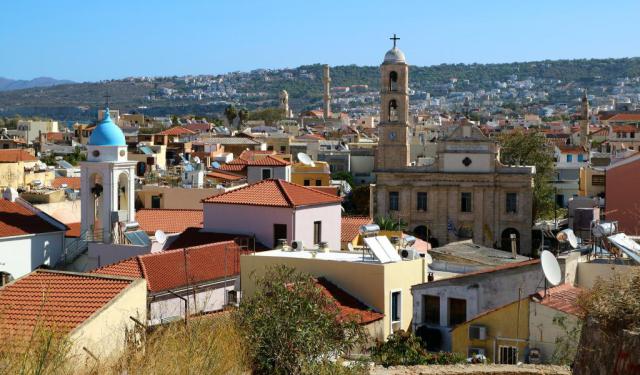
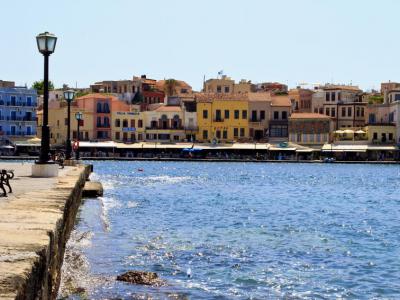
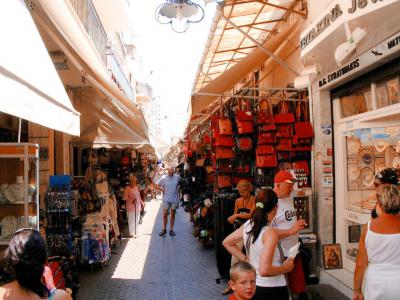
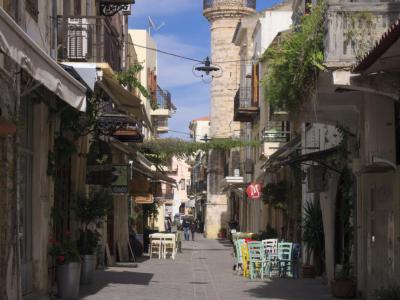
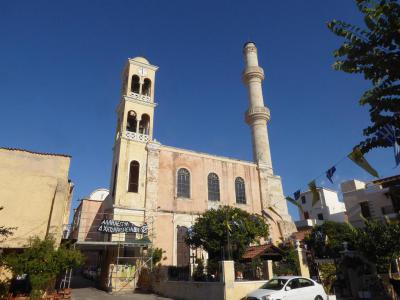
Walking through downtown Chania today, visitors encounter a captivating blend of Venetian, Ottoman, and Greek influences. The Old Venetian Harbor dazzles with its lighthouse, colorful buildings, and waterfront cafés. Narrow cobblestone streets wind through the Old Town, lined with boutique shops, historic churches, and traditional tavernas. Highlights include the Nautical Museum, the Grand Arsenal, and the vibrant Leather Street.
Today, Pashley’s words ring true: Chania more than repays the travelers who visit the city-it rewards them richly, at every turn.
In the centuries that followed, the city prospered under classical Greek influence before becoming part of the Roman Empire in the 1st century BC. The city’s Roman villas and mosaics still testify to the prosperity of this era. By the 4th century AD, Chania entered the Byzantine sphere, with its fortifications strengthened to withstand repeated Arab raids that swept across the Aegean in the 8th and 9th centuries.
A new chapter began in 1252, when the Venetians secured Crete and reshaped Chania into a thriving commercial hub. For nearly four centuries, from the 13th to the 17th, they expanded the harbor, built the long line of stone arsenals to house their fleets, and left behind elegant palaces and churches. The Chania Lighthouse, added between 1570 and 1590, became both a beacon for sailors and a symbol of Venetian prestige. In 1645, after a long and bloody siege, the Ottomans captured Chania, altering the skyline once again with mosques, bathhouses, and minarets-while leaving the Venetian foundations largely intact.
Modern history brought further transformation. In 1913, Crete formally united with Greece, with Chania briefly becoming the island’s capital.
Walking through downtown Chania today, visitors encounter a captivating blend of Venetian, Ottoman, and Greek influences. The Old Venetian Harbor dazzles with its lighthouse, colorful buildings, and waterfront cafés. Narrow cobblestone streets wind through the Old Town, lined with boutique shops, historic churches, and traditional tavernas. Highlights include the Nautical Museum, the Grand Arsenal, and the vibrant Leather Street.
Today, Pashley’s words ring true: Chania more than repays the travelers who visit the city-it rewards them richly, at every turn.
How it works: Download the app "GPSmyCity: Walks in 1K+ Cities" from Apple App Store or Google Play Store to your mobile phone or tablet. The app turns your mobile device into a personal tour guide and its built-in GPS navigation functions guide you from one tour stop to next. The app works offline, so no data plan is needed when traveling abroad.
Download The GPSmyCity App



Chania Introduction Walking Tour Map
Guide Name: Chania Introduction Walking Tour
Guide Location: Greece » Chania (See other walking tours in Chania)
Guide Type: Self-guided Walking Tour (Sightseeing)
Tour Duration: 2 Hour(s)
Travel Distance: 3.2 Km or 2 Miles
Guide Location: Greece » Chania (See other walking tours in Chania)
Guide Type: Self-guided Walking Tour (Sightseeing)
Tour Duration: 2 Hour(s)
Travel Distance: 3.2 Km or 2 Miles
Sights Featured in This Walk
1) Old Venetian Harbor (must see)




The Most Popular Cities
/ view all