

Audio Guide: Noumea Introduction Walking Tour (Self Guided), Noumea
Nouméa is often said to resemble a town in southern France. As the capital of New Caledonia, it wears its history in layers-Kanak, French, and everything in between. The city’s name likely comes from a Kanak word, though the precise meaning is lost-much like other fragments of the island’s precolonial past. For centuries, the Kanak people lived here in clan-based communities, shaping a culture deeply tied to land and sea, long before Europeans ever set foot on its shores.
The French arrived in 1854, establishing a settlement called Port-de-France. A dozen years later, it was renamed Nouméa-a nod to indigenous origins that gave the town a more local resonance. By then, France had already designated New Caledonia as a penal colony. Convicts, political prisoners, and settlers poured in, laying down streets and institutions. By the late 19th century, the town had become the administrative heart of the colony-a symbol of French power in the Pacific.
The 20th century brought more turning points. Nickel mining cemented Nouméa’s role as an economic center, while World War II turned it into a vital Allied base in the Pacific. The United States Navy built a naval base that served as their South Pacific headquarters. After the war, Nouméa expanded into a multicultural capital where Kanak traditions rubbed shoulders with French, Asian, and Pacific influences.
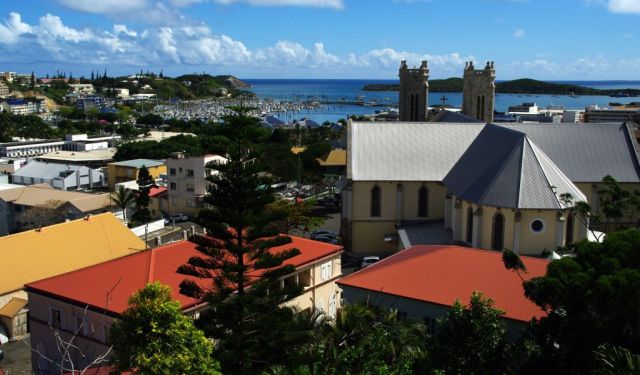
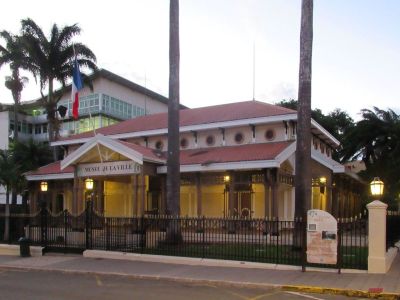
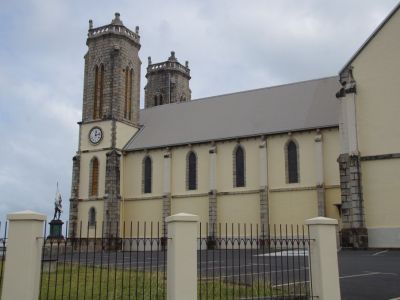
You can still read this story in its landmarks. Saint-Joseph’s Cathedral, completed in 1897 with stone cut and carried by convicts, looms over the city with its twin towers and stained glass-a clear statement of Catholic and colonial authority. Not far away, the Nouméa City Museum, housed in the old town hall of 1874, tells the city’s tale through objects: Kanak artifacts, convict-era relics, and traces of the nickel boom that made the port a hub of global trade.
As you walk through Nouméa, let the city’s streets and landmarks guide you through layers of history-Kanak, French, and beyond. Take your time. Each stop has a story to tell.
The French arrived in 1854, establishing a settlement called Port-de-France. A dozen years later, it was renamed Nouméa-a nod to indigenous origins that gave the town a more local resonance. By then, France had already designated New Caledonia as a penal colony. Convicts, political prisoners, and settlers poured in, laying down streets and institutions. By the late 19th century, the town had become the administrative heart of the colony-a symbol of French power in the Pacific.
The 20th century brought more turning points. Nickel mining cemented Nouméa’s role as an economic center, while World War II turned it into a vital Allied base in the Pacific. The United States Navy built a naval base that served as their South Pacific headquarters. After the war, Nouméa expanded into a multicultural capital where Kanak traditions rubbed shoulders with French, Asian, and Pacific influences.
You can still read this story in its landmarks. Saint-Joseph’s Cathedral, completed in 1897 with stone cut and carried by convicts, looms over the city with its twin towers and stained glass-a clear statement of Catholic and colonial authority. Not far away, the Nouméa City Museum, housed in the old town hall of 1874, tells the city’s tale through objects: Kanak artifacts, convict-era relics, and traces of the nickel boom that made the port a hub of global trade.
As you walk through Nouméa, let the city’s streets and landmarks guide you through layers of history-Kanak, French, and beyond. Take your time. Each stop has a story to tell.
How it works: Download the app "GPSmyCity: Walks in 1K+ Cities" from Apple App Store or Google Play Store to your mobile phone or tablet. The app turns your mobile device into a personal tour guide and its built-in GPS navigation functions guide you from one tour stop to next. The app works offline, so no data plan is needed when traveling abroad.
Download The GPSmyCity App



Noumea Introduction Walking Tour Map
Guide Name: Noumea Introduction Walking Tour
Guide Location: New Caledonia » Noumea (See other walking tours in Noumea)
Guide Type: Self-guided Walking Tour (Sightseeing)
Tour Duration: 1 Hour
Travel Distance: 2 Km or 1.2 Miles
Tour Best Suited For: First-time visit
Guide Location: New Caledonia » Noumea (See other walking tours in Noumea)
Guide Type: Self-guided Walking Tour (Sightseeing)
Tour Duration: 1 Hour
Travel Distance: 2 Km or 1.2 Miles
Tour Best Suited For: First-time visit
Sights Featured in This Walk
2
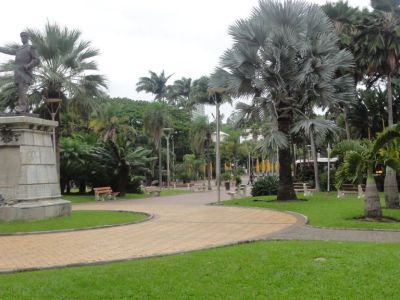
2) Coconut Square (must see)

City Walks Overview
