

Audio Guide: Roseau Introduction Walking Tour (Self Guided), Roseau
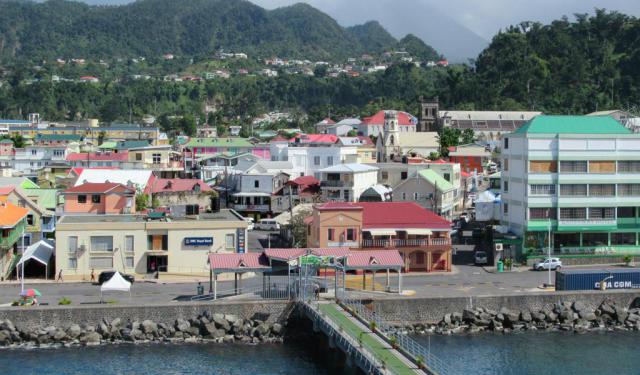
Roseau, the capital of the Caribbean nation of Dominica, marks the site of the oldest and most important urban settlement on the island.
Although European ships first appeared off the coast of Dominica in the 15th century, over the next hundred years it was inhabited only by Carib Indians, who settled the area of today's Roseau attracted by the nearby river. The French founded the town on the site of an Indian settlement in the 17th century. Following their tradition of naming places after what they found locally, the French used their word for the reed that grew in abundance along the river banks.
By the early 18th century, French settlers, primarily engaged in forestry and agriculture, populated the island's southwest coast, importing slaves from West Africa to work on coffee plantations.
Historically, Dominica, in general, and Roseau, in particular, were the subject of a struggle between France and another colonial power, Great Britain. The 1761 capture of Roseau by the British marked the beginning of their rule, ultimately confirmed by the Treaty of Versailles in 1783. Renamed Charlotte Town, the town became the island's capital in 1768.
In 1805, during military operations, the French completely burned the city, practically stopping its development for another several decades. The abolition of slavery in 1833 saw Roseau emerge as a center of governance. After Dominica's independence in 1978, it became the nation's capital but faced challenges such as the devastation caused by Hurricane David in 1979 and subsequent hurricanes in 1995. Despite adversities, though, Roseau persisted, with tourism emerging as a key economic driver.
While the English influence is seen in the architecture and street names, the French influence is obvious in the grid plan, with crooked streets extending from the city center to the limits. In the center lies the bustling Old Market Plaza, formerly a slave auction site, where the heartbeat of Roseau is best felt.
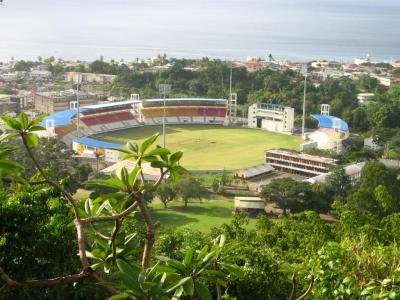
The nearby Dominica Museum showcases artifacts and exhibits detailing the island's natural and cultural history. Meanwhile, nature lovers can wander through the lush Dominica Botanic Gardens or hike up Morne Bruce for panoramic views of the city and surrounding landscape.
So, whatever your interest, welcome to Roseau! Come and discover the warmth and charm of this Eastern Caribbean gem with this self-guided walking tour.
Although European ships first appeared off the coast of Dominica in the 15th century, over the next hundred years it was inhabited only by Carib Indians, who settled the area of today's Roseau attracted by the nearby river. The French founded the town on the site of an Indian settlement in the 17th century. Following their tradition of naming places after what they found locally, the French used their word for the reed that grew in abundance along the river banks.
By the early 18th century, French settlers, primarily engaged in forestry and agriculture, populated the island's southwest coast, importing slaves from West Africa to work on coffee plantations.
Historically, Dominica, in general, and Roseau, in particular, were the subject of a struggle between France and another colonial power, Great Britain. The 1761 capture of Roseau by the British marked the beginning of their rule, ultimately confirmed by the Treaty of Versailles in 1783. Renamed Charlotte Town, the town became the island's capital in 1768.
In 1805, during military operations, the French completely burned the city, practically stopping its development for another several decades. The abolition of slavery in 1833 saw Roseau emerge as a center of governance. After Dominica's independence in 1978, it became the nation's capital but faced challenges such as the devastation caused by Hurricane David in 1979 and subsequent hurricanes in 1995. Despite adversities, though, Roseau persisted, with tourism emerging as a key economic driver.
While the English influence is seen in the architecture and street names, the French influence is obvious in the grid plan, with crooked streets extending from the city center to the limits. In the center lies the bustling Old Market Plaza, formerly a slave auction site, where the heartbeat of Roseau is best felt.
The nearby Dominica Museum showcases artifacts and exhibits detailing the island's natural and cultural history. Meanwhile, nature lovers can wander through the lush Dominica Botanic Gardens or hike up Morne Bruce for panoramic views of the city and surrounding landscape.
So, whatever your interest, welcome to Roseau! Come and discover the warmth and charm of this Eastern Caribbean gem with this self-guided walking tour.
How it works: Download the app "GPSmyCity: Walks in 1K+ Cities" from Apple App Store or Google Play Store to your mobile phone or tablet. The app turns your mobile device into a personal tour guide and its built-in GPS navigation functions guide you from one tour stop to next. The app works offline, so no data plan is needed when traveling abroad.
Download The GPSmyCity App



Roseau Introduction Walking Tour Map
Guide Name: Roseau Introduction Walking Tour
Guide Location: Dominica » Roseau (See other walking tours in Roseau)
Guide Type: Self-guided Walking Tour (Sightseeing)
Tour Duration: 2 Hours
Travel Distance: 2.9 Km or 1.8 Miles
Tour Best Suited For: First-time visit
Guide Location: Dominica » Roseau (See other walking tours in Roseau)
Guide Type: Self-guided Walking Tour (Sightseeing)
Tour Duration: 2 Hours
Travel Distance: 2.9 Km or 1.8 Miles
Tour Best Suited For: First-time visit
Sights Featured in This Walk

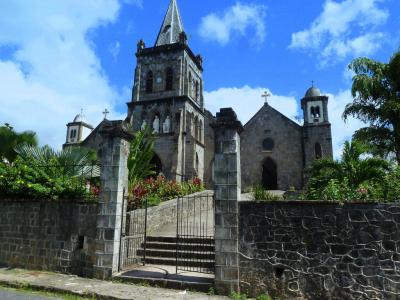
6
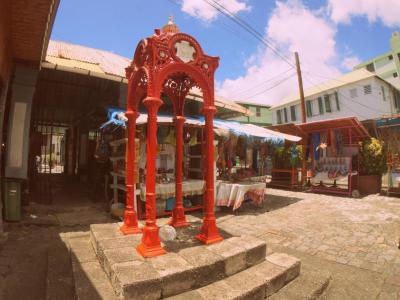
6) Old Market Square (must see)
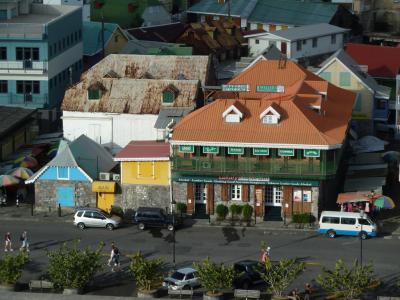
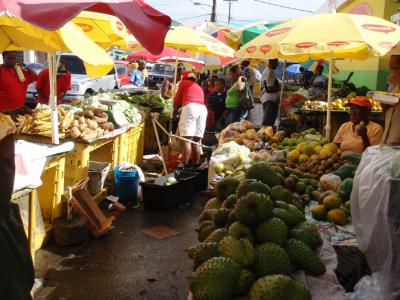
10

10) Dominica Botanic Gardens (must see)

City Walks Overview
