

Audio Guide: Tauranga Introduction Walking Tour (Self Guided), Tauranga
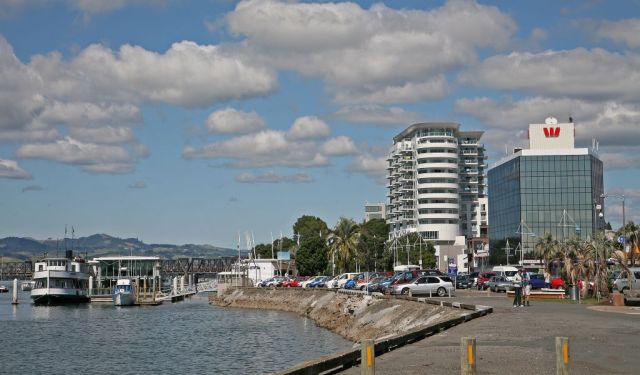
Tauranga sits in the Bay of Plenty with a name lifted straight from the Māori language, meaning “safe anchorage” or “resting place for canoes.” It’s not flowery metaphor-it’s a job description the harbour fulfilled for centuries before Europeans showed up. Archaeologists trace human settlement here back to the 13th century, long before the 19th-century wave of missionaries who turned the area into a religious outpost. During the New Zealand Wars (that took place between 1845 and 1872), the city also flirted with the status of a military stronghold. With deep waters and easy access to trade routes, Tauranga’s rise as a port city was as inevitable as the tide coming in.
Its history is built on the push and pull between Māori and colonial influences. In the early 1800s, the harbour became a trading crossroads, swapping flax, timber, and local produce for European tools and goods. Missionaries brought not just religion but classrooms, but also farming practices, and a new architectural vocabulary, reshaping the region’s culture. The 1860s brought conflict, as the city became a staging ground for British forces during clashes with local iwi tribes. By the late 19th and early 20th centuries, rail connections and a busy port had locked Tauranga into its role as the Bay of Plenty’s gateway-a role it still plays with ease.
For a close-up on its colonial side, The Elms Historic Homestead makes a solid starting point. Built in the 1830s, it’s one of New Zealand’s oldest heritage properties, with original rooms, a modest chapel, and gardens that quietly narrate missionary life. Down at The Strand Waterfront, history rubs shoulders with modern café culture, and public art takes the form of bronze pups from Lynley Dodd’s Hairy Maclary books-always ready for a photo, never charging for autographs.
Tauranga doesn’t demand you rush. Its layers of history-from Māori roots to colonial milestones-are still woven into its streets, buildings, and waterfront. Spend a little time here, and you’ll see how the harbour has shaped more than just the map-it’s shaped the city’s whole character.
Its history is built on the push and pull between Māori and colonial influences. In the early 1800s, the harbour became a trading crossroads, swapping flax, timber, and local produce for European tools and goods. Missionaries brought not just religion but classrooms, but also farming practices, and a new architectural vocabulary, reshaping the region’s culture. The 1860s brought conflict, as the city became a staging ground for British forces during clashes with local iwi tribes. By the late 19th and early 20th centuries, rail connections and a busy port had locked Tauranga into its role as the Bay of Plenty’s gateway-a role it still plays with ease.
For a close-up on its colonial side, The Elms Historic Homestead makes a solid starting point. Built in the 1830s, it’s one of New Zealand’s oldest heritage properties, with original rooms, a modest chapel, and gardens that quietly narrate missionary life. Down at The Strand Waterfront, history rubs shoulders with modern café culture, and public art takes the form of bronze pups from Lynley Dodd’s Hairy Maclary books-always ready for a photo, never charging for autographs.
Tauranga doesn’t demand you rush. Its layers of history-from Māori roots to colonial milestones-are still woven into its streets, buildings, and waterfront. Spend a little time here, and you’ll see how the harbour has shaped more than just the map-it’s shaped the city’s whole character.
How it works: Download the app "GPSmyCity: Walks in 1K+ Cities" from Apple App Store or Google Play Store to your mobile phone or tablet. The app turns your mobile device into a personal tour guide and its built-in GPS navigation functions guide you from one tour stop to next. The app works offline, so no data plan is needed when traveling abroad.
Download The GPSmyCity App



Tauranga Introduction Walking Tour Map
Guide Name: Tauranga Introduction Walking Tour
Guide Location: New Zealand » Tauranga (See other walking tours in Tauranga)
Guide Type: Self-guided Walking Tour (Sightseeing)
Tour Duration: 1 Hour
Travel Distance: 1.6 Km or 1 Miles
Tour Best Suited For: First-time visit
Guide Location: New Zealand » Tauranga (See other walking tours in Tauranga)
Guide Type: Self-guided Walking Tour (Sightseeing)
Tour Duration: 1 Hour
Travel Distance: 1.6 Km or 1 Miles
Tour Best Suited For: First-time visit
Sights Featured in This Walk




City Walks Overview
