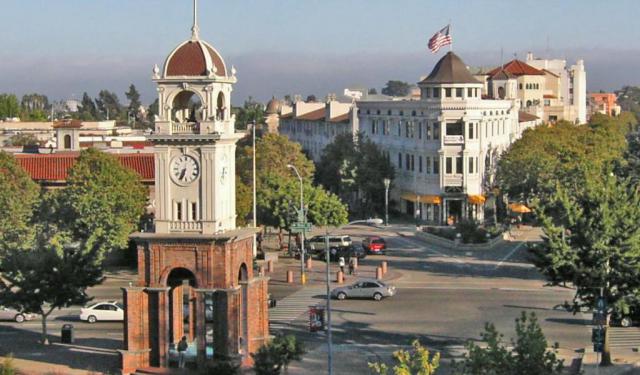


Santa Cruz Introduction Walking Tour (Self Guided), Santa Cruz
Santa Cruz dates back to the founding of Mission Santa Cruz, founded in 1791. The modern city's incorporation dates back to 1866, and some of the most popular industries were agriculture, lime mining, gunpowder manufacturing, and lumber.
In July 1885, three teenage Hawaiian princes took a break from their boarding school, St. Mathew's Hall in San Mateo, and came to cool off in Santa Cruz. There they surfed the mouth of the San Lorenzo River. For this, Santa Cruz is largely regarded as the birthplace of surfing in the United States.
In modern times, Santa Cruz has become known for being at the center of progressive activism for causes including medical marijuana legalization, immigrant and worker rights, and the LGBT rights. Santa Cruz is also a center of the organic agriculture movement and has a large foot print in the high tech industry.
To immerse yourself in local history, stop by Santa Cruz Mission State Historic Park. You can also take in more about local history at the Santa Cruz Museum of Art & History. Don't miss the Del Mar Theater, where you can see a beautiful example of a 1930s movie palace.
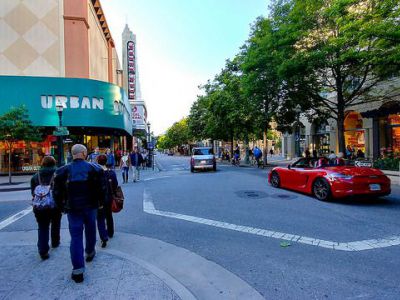
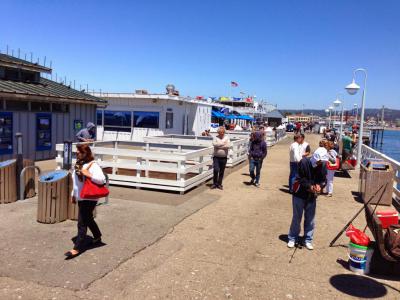
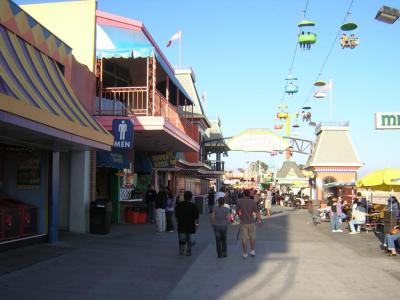
If you're in search of shopping or dining options, be sure to check out Pacific Avenue and the Santa Cruz Wharf. You can find cuisine that includes fresh seafood and shops selling fun nautical items easily. The Santa Cruz Beach Boardwalk, featuring two National Historic Landmarks, is a place you don't want to miss. It offers a wide range of rides and games for people of all ages.
Take this self-guided walking tour to visit the most important attractions in Santa Cruz at your own pace.
In July 1885, three teenage Hawaiian princes took a break from their boarding school, St. Mathew's Hall in San Mateo, and came to cool off in Santa Cruz. There they surfed the mouth of the San Lorenzo River. For this, Santa Cruz is largely regarded as the birthplace of surfing in the United States.
In modern times, Santa Cruz has become known for being at the center of progressive activism for causes including medical marijuana legalization, immigrant and worker rights, and the LGBT rights. Santa Cruz is also a center of the organic agriculture movement and has a large foot print in the high tech industry.
To immerse yourself in local history, stop by Santa Cruz Mission State Historic Park. You can also take in more about local history at the Santa Cruz Museum of Art & History. Don't miss the Del Mar Theater, where you can see a beautiful example of a 1930s movie palace.
If you're in search of shopping or dining options, be sure to check out Pacific Avenue and the Santa Cruz Wharf. You can find cuisine that includes fresh seafood and shops selling fun nautical items easily. The Santa Cruz Beach Boardwalk, featuring two National Historic Landmarks, is a place you don't want to miss. It offers a wide range of rides and games for people of all ages.
Take this self-guided walking tour to visit the most important attractions in Santa Cruz at your own pace.
How it works: Download the app "GPSmyCity: Walks in 1K+ Cities" from Apple App Store or Google Play Store to your mobile phone or tablet. The app turns your mobile device into a personal tour guide and its built-in GPS navigation functions guide you from one tour stop to next. The app works offline, so no data plan is needed when traveling abroad.
Download The GPSmyCity App



Santa Cruz Introduction Walking Tour Map
Guide Name: Santa Cruz Introduction Walking Tour
Guide Location: USA » Santa Cruz (See other walking tours in Santa Cruz)
Guide Type: Self-guided Walking Tour (Sightseeing)
Tour Duration: 1 Hour(s)
Travel Distance: 2.8 Km or 1.7 Miles
Guide Location: USA » Santa Cruz (See other walking tours in Santa Cruz)
Guide Type: Self-guided Walking Tour (Sightseeing)
Tour Duration: 1 Hour(s)
Travel Distance: 2.8 Km or 1.7 Miles
Sights Featured in This Walk



5) Santa Cruz Wharf (must see)
Walking Tours in Santa Cruz, California
Create Your Own Walk in Santa Cruz
Creating your own self-guided walk in Santa Cruz is easy and fun. Choose the city attractions that you want to see and a walk route map will be created just for you. You can even set your hotel as the start point of the walk.
Historical Buildings Walk
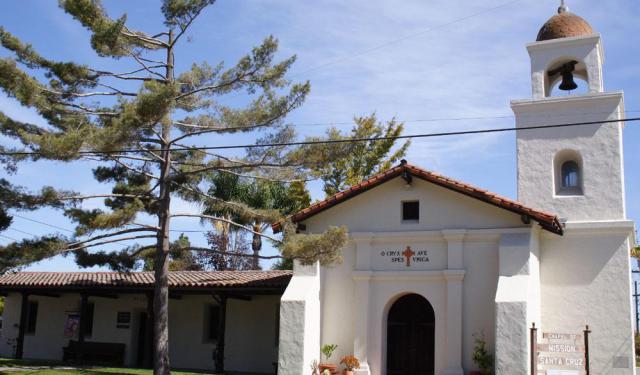
Apart from surfboard-filled shores, Santa Cruz is also rich in history reflected in the old buildings listed on the National Register of Historic Places. While none of Santa Cruz's historic architecture sprang up overnight, a great deal of it was lost, or severely damaged, in a single go on October 17, 1989 as a result of the Loma Prieta earthquake. Still, some of the historic buildings have... view more
Tour Duration: 2 Hour(s)
Travel Distance: 2.8 Km or 1.7 Miles
Tour Duration: 2 Hour(s)
Travel Distance: 2.8 Km or 1.7 Miles
The Most Popular Cities
/ view all