

Audio Guide: Montego Bay Introduction Walking Tour (Self Guided), Montego Bay
When Christopher Columbus first encountered Jamaica during his second voyage to the Americas in 1494, he was struck by the island's beautiful coastline, comparing it to paradise.
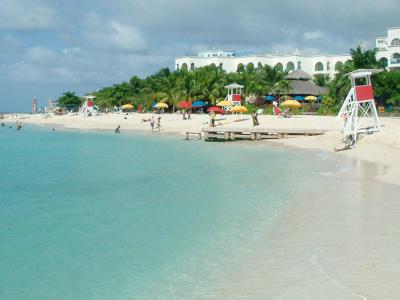
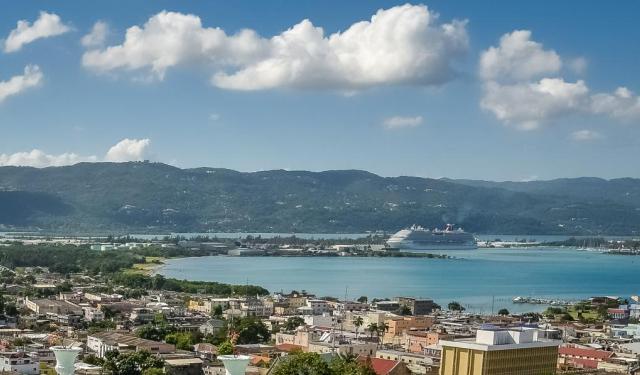
Jamaica's "Second City," Montego Bay (also referred to as MoBay or simply the Bay), is famous for its sun-kissed beaches, crystal-clear waters, and pristine sands. Still, there’s much more to this vibrant Caribbean city than just that. Montego Bay is also home to numerous attractions—historic and cultural sites, lively markets, and nightlife sure to excite any visitor.
After Columbus ventured to Jamaica in 1494, the island remained a Spanish colony for another century and a half. The name Montego Bay originated as a corruption of the Spanish word manteca (meaning “lard”), allegedly because during the Spanish period it was the port where lard, leather, and beef were exported.
Following Oliver Cromwell’s Caribbean expedition in 1655, which drove the Spanish from the island, Montego Bay became a thriving port town benefiting from the lucrative sugar trade. The town was officially founded in the late 17th century, growing rapidly with the establishment of sugar plantations and the use of enslaved Africans as labor.
By the 18th century, Montego Bay had become a hub for the island’s sugar and rum trade, with large estates surrounding the town. The port played a pivotal role in shipping goods to Europe and North America. However, the abolition of slavery in 1834 and the subsequent decline of the sugar industry forced the town to diversify its economy.
Montego Bay began to transform in the 20th century with the rise of tourism, and today, the city stands as one of the Caribbean's most important tourist destinations, known for its vibrant culture, historic sites, and stunning beaches.
For those eager to delve deeper into Montego Bay's cultural tapestry, the Montego Bay Cultural Center offers a fascinating journey through the city’s heritage. And, of course, to immerse yourself fully in its lively energy, the Hip Strip, lined with restaurants, bars, clubs, and boutiques, is the perfect place to be.
Montego Bay—where a storied past, vibrant culture, and breathtaking scenery harmoniously converge—beckons travelers to Jamaica’s northwestern coast. If you happen to sail nearby, dock and embark on an unforgettable journey to Montego Bay. You may be as impressed by its beauty as Columbus once was.
Jamaica's "Second City," Montego Bay (also referred to as MoBay or simply the Bay), is famous for its sun-kissed beaches, crystal-clear waters, and pristine sands. Still, there’s much more to this vibrant Caribbean city than just that. Montego Bay is also home to numerous attractions—historic and cultural sites, lively markets, and nightlife sure to excite any visitor.
After Columbus ventured to Jamaica in 1494, the island remained a Spanish colony for another century and a half. The name Montego Bay originated as a corruption of the Spanish word manteca (meaning “lard”), allegedly because during the Spanish period it was the port where lard, leather, and beef were exported.
Following Oliver Cromwell’s Caribbean expedition in 1655, which drove the Spanish from the island, Montego Bay became a thriving port town benefiting from the lucrative sugar trade. The town was officially founded in the late 17th century, growing rapidly with the establishment of sugar plantations and the use of enslaved Africans as labor.
By the 18th century, Montego Bay had become a hub for the island’s sugar and rum trade, with large estates surrounding the town. The port played a pivotal role in shipping goods to Europe and North America. However, the abolition of slavery in 1834 and the subsequent decline of the sugar industry forced the town to diversify its economy.
Montego Bay began to transform in the 20th century with the rise of tourism, and today, the city stands as one of the Caribbean's most important tourist destinations, known for its vibrant culture, historic sites, and stunning beaches.
For those eager to delve deeper into Montego Bay's cultural tapestry, the Montego Bay Cultural Center offers a fascinating journey through the city’s heritage. And, of course, to immerse yourself fully in its lively energy, the Hip Strip, lined with restaurants, bars, clubs, and boutiques, is the perfect place to be.
Montego Bay—where a storied past, vibrant culture, and breathtaking scenery harmoniously converge—beckons travelers to Jamaica’s northwestern coast. If you happen to sail nearby, dock and embark on an unforgettable journey to Montego Bay. You may be as impressed by its beauty as Columbus once was.
How it works: Download the app "GPSmyCity: Walks in 1K+ Cities" from Apple App Store or Google Play Store to your mobile phone or tablet. The app turns your mobile device into a personal tour guide and its built-in GPS navigation functions guide you from one tour stop to next. The app works offline, so no data plan is needed when traveling abroad.
Montego Bay Introduction Walking Tour Map
Guide Name: Montego Bay Introduction Walking Tour
Guide Location: Jamaica » Montego Bay (See other walking tours in Montego Bay)
Guide Type: Self-guided Walking Tour (Sightseeing)
# of Attractions: 9
Tour Duration: 2 Hour(s)
Travel Distance: 2.9 Km or 1.8 Miles
Author: DanaOffice
Sight(s) Featured in This Guide:
Guide Location: Jamaica » Montego Bay (See other walking tours in Montego Bay)
Guide Type: Self-guided Walking Tour (Sightseeing)
# of Attractions: 9
Tour Duration: 2 Hour(s)
Travel Distance: 2.9 Km or 1.8 Miles
Author: DanaOffice
Sight(s) Featured in This Guide:
- Sam Sharpe Square
- The Cage
- Montego Bay Cultural Center
- St. James Parish Church
- Harbour Street Craft Village
- Harmony Beach Park
- Aquasol Beach Park
- Hip Strip
- Doctor's Cave Beach
1) Sam Sharpe Square (must see)
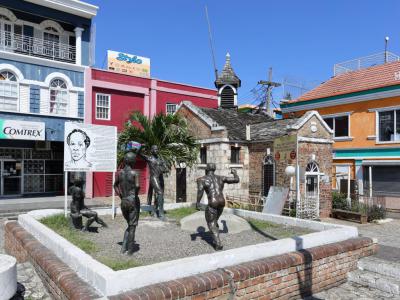
Sam Sharpe Square, located in the heart of Downtown Montego Bay, is one of Jamaica’s most historically significant landmarks. Originally called Charles Square, it was renamed in honor of Samuel Sharpe, a Baptist deacon, teacher, and national hero who led the Christmas Rebellion of 1831, a major uprising that hastened the abolition of slavery in the British Empire. At the center of the square stands a monument to Sam Sharpe, commemorating his leadership and ultimate sacrifice—he was executed nearby in 1832 for his role in the revolt.
The square remains the bustling core of Montego Bay. Street vendors sell fruits, snacks, and crafts, while taxis and buses circulate continuously, giving visitors a vivid sense of local life. Those seeking context can step into the Montego Bay Museum, housed in the Montego Bay Civic Center, which displays artifacts and exhibits on the area’s colonial and post-emancipation history.
Another key feature is The Cage, a small 19th-century brick-and-stone structure once used to detain drunks, vagrants, and runaway slaves overnight before they were sent back to plantations. Today, Sam Sharpe Square stands as both a lively public space and a solemn reminder of Jamaica’s enduring struggle for freedom and justice.
The square remains the bustling core of Montego Bay. Street vendors sell fruits, snacks, and crafts, while taxis and buses circulate continuously, giving visitors a vivid sense of local life. Those seeking context can step into the Montego Bay Museum, housed in the Montego Bay Civic Center, which displays artifacts and exhibits on the area’s colonial and post-emancipation history.
Another key feature is The Cage, a small 19th-century brick-and-stone structure once used to detain drunks, vagrants, and runaway slaves overnight before they were sent back to plantations. Today, Sam Sharpe Square stands as both a lively public space and a solemn reminder of Jamaica’s enduring struggle for freedom and justice.
2) The Cage
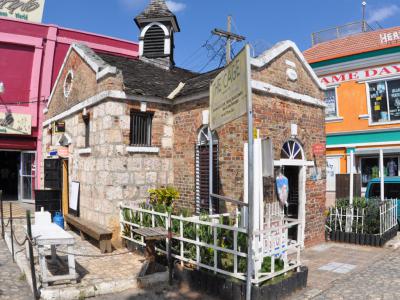
The Cage is a small but historically significant landmark that offers insight into the city’s colonial past. Originally built in 1806, the structure was made of wood and functioned as a temporary jail or holding cell. It was commonly used to detain drunken sailors, runaway slaves, and vagrants overnight before they were either released, punished, or returned to their plantations. Its location near the waterfront made it a convenient stop for controlling disorder in the busy port town.
In 1822, the wooden structure was replaced by the present building constructed of brick and cut stone, giving it greater permanence and resilience. Though modest in scale, The Cage reflects the strict social order and harsh realities of early 19th-century Jamaican life under British colonial rule. It stands as a rare surviving example of public architecture from that period in Montego Bay.
Today, The Cage has taken on a new role—it now houses a foreign currency exchange kiosk, blending modern use with its preserved historical exterior.
In 1822, the wooden structure was replaced by the present building constructed of brick and cut stone, giving it greater permanence and resilience. Though modest in scale, The Cage reflects the strict social order and harsh realities of early 19th-century Jamaican life under British colonial rule. It stands as a rare surviving example of public architecture from that period in Montego Bay.
Today, The Cage has taken on a new role—it now houses a foreign currency exchange kiosk, blending modern use with its preserved historical exterior.
3) Montego Bay Cultural Center
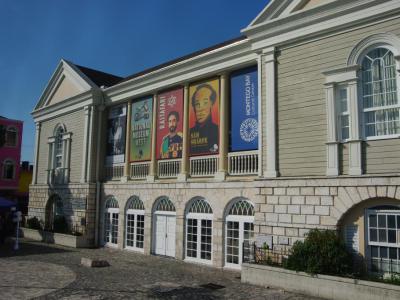
Housing both the National Museum West and the National Gallery West, the Montego Bay Cultural Centre offers a comprehensive exploration of Jamaica’s history and its vibrant contemporary arts scene.
At the National Museum West, located on the ground floor, visitors can immerse themselves in a permanent exhibition that chronicles the history of St. James and Jamaica as a whole. The display features an impressive collection of artifacts spanning from the Taino era through the postcolonial period. In addition to its core exhibition, the museum regularly hosts temporary exhibits, providing new perspectives on Jamaican culture and heritage.
Upstairs, in an adjoining building, the National Gallery West—an extension of the National Gallery of Jamaica in Kingston—presents a rotating selection of early, modern, and contemporary Jamaican art. Its changing exhibits ensure that each visit offers a fresh artistic experience.
Beyond its museum and gallery spaces, the Montego Bay Cultural Centre serves as an important venue for events and performances. The town hall ballroom occasionally hosts dance and community performances, while the main building includes a dedicated performing arts space on the upper level.
Adding to the site’s historical resonance, a Freedom Monument stands at the rear of the building, honoring the enslaved individuals who were sentenced when the site once served as a courthouse. The monument bears their names and the punishments they endured, preserving a sobering record of their suffering.
At the National Museum West, located on the ground floor, visitors can immerse themselves in a permanent exhibition that chronicles the history of St. James and Jamaica as a whole. The display features an impressive collection of artifacts spanning from the Taino era through the postcolonial period. In addition to its core exhibition, the museum regularly hosts temporary exhibits, providing new perspectives on Jamaican culture and heritage.
Upstairs, in an adjoining building, the National Gallery West—an extension of the National Gallery of Jamaica in Kingston—presents a rotating selection of early, modern, and contemporary Jamaican art. Its changing exhibits ensure that each visit offers a fresh artistic experience.
Beyond its museum and gallery spaces, the Montego Bay Cultural Centre serves as an important venue for events and performances. The town hall ballroom occasionally hosts dance and community performances, while the main building includes a dedicated performing arts space on the upper level.
Adding to the site’s historical resonance, a Freedom Monument stands at the rear of the building, honoring the enslaved individuals who were sentenced when the site once served as a courthouse. The monument bears their names and the punishments they endured, preserving a sobering record of their suffering.
4) St. James Parish Church
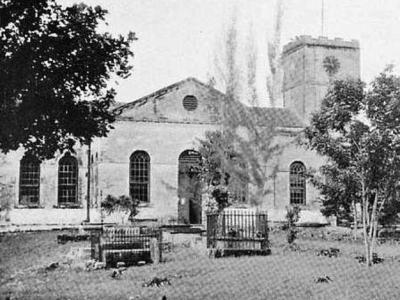
The Saint James Parish Church is widely regarded as one of Montego Bay’s most significant architectural landmarks. Located within a spacious graveyard containing tombstones that date back over two centuries, the church is laid out in a traditional Greek cross plan, reflecting the classical influences of its 18th-century design. Its prominent position and grand form make it a central feature of the city’s historic landscape.
Construction of the church began in 1775 and was completed in 1782. Over the years, it has undergone several renovations, most notably following earthquake damage in the 20th century, with a major restoration in 1957 that helped preserve both its structure and historical features.
Inside, the church houses a remarkable collection of artistic and historical treasures. Two monuments by the renowned 18th-century English sculptor John Bacon are particularly noteworthy, including one commemorating Rosa Palmer, the former owner of the famous Rose Hall Great House.
The interior is further enhanced by an elaborate stained glass window installed in 1911, which adds color and light to the sanctuary. Throughout the church, numerous plaques and memorials honor prominent figures who played key roles in Montego Bay’s history, offering visitors insight into the city’s colonial and postcolonial past.
Construction of the church began in 1775 and was completed in 1782. Over the years, it has undergone several renovations, most notably following earthquake damage in the 20th century, with a major restoration in 1957 that helped preserve both its structure and historical features.
Inside, the church houses a remarkable collection of artistic and historical treasures. Two monuments by the renowned 18th-century English sculptor John Bacon are particularly noteworthy, including one commemorating Rosa Palmer, the former owner of the famous Rose Hall Great House.
The interior is further enhanced by an elaborate stained glass window installed in 1911, which adds color and light to the sanctuary. Throughout the church, numerous plaques and memorials honor prominent figures who played key roles in Montego Bay’s history, offering visitors insight into the city’s colonial and postcolonial past.
5) Harbour Street Craft Village
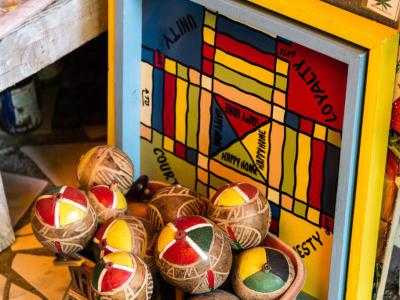
The Harbour Street Craft Village, stretching across three blocks between Barnett and Market Street, offers visitors an authentic glimpse into the island’s vibrant craft culture. The market is filled with stalls and small tents where local artisans display a wide variety of handmade goods, including straw hats and bags, wooden platters, carved objects, musical instruments, beads, toys, and woven baskets. Each item reflects Jamaica’s rich artistic traditions and provides a unique keepsake for travelers.
Vendors are friendly and welcoming, often eager to share stories about their crafts and the techniques used to create them. Bargaining is common, and many shoppers enjoy the playful back-and-forth while negotiating prices. Visitors should feel free to engage in friendly haggling but can also politely decline offers if they are not interested.
Beyond shopping, the craft village provides an immersive cultural experience. The streets are alive with color, movement, and the sounds of local music, giving a true sense of the energy and creativity that define Montego Bay. The market is not only a place to find souvenirs but also an opportunity to observe the skills of Jamaican artisans at work.
Vendors are friendly and welcoming, often eager to share stories about their crafts and the techniques used to create them. Bargaining is common, and many shoppers enjoy the playful back-and-forth while negotiating prices. Visitors should feel free to engage in friendly haggling but can also politely decline offers if they are not interested.
Beyond shopping, the craft village provides an immersive cultural experience. The streets are alive with color, movement, and the sounds of local music, giving a true sense of the energy and creativity that define Montego Bay. The market is not only a place to find souvenirs but also an opportunity to observe the skills of Jamaican artisans at work.
6) Harmony Beach Park
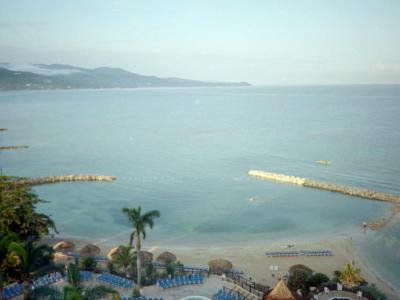
Harmony Beach Park offers a serene coastal retreat where visitors can unwind and explore. Featuring coarse white sand and framed by swaying palm trees, this expansive park covers approximately 65,000 square meters, providing ample space for relaxation and recreation.
The park is enriched with endemic Jamaican plants, enhancing its natural beauty and creating a picturesque setting. Accessible via three entrances, the main entrance along Howard Cooke Boulevard welcomes guests to this tranquil oasis. Parking facilities can accommodate up to 132 vehicles for a nominal fee.
Harmony Beach Park provides a variety of amenities to cater to visitors’ needs. Food options include restaurants, snack shops, and a designated picnic area, ideal for enjoying a seaside meal. Families can take advantage of the children’s play area, while fitness enthusiasts can use the multipurpose court and a 600-meter jogging trail lined with lush trees and manicured lawns.
For added convenience, the park offers bathrooms, showers, and changing rooms, ensuring a comfortable experience for all guests. Swimming in the clear waters, taking a leisurely walk along the shore, or enjoying a refreshing jog, visitors at Harmony Beach Park can experience a versatile environment that combines recreation and relaxation.
The park is enriched with endemic Jamaican plants, enhancing its natural beauty and creating a picturesque setting. Accessible via three entrances, the main entrance along Howard Cooke Boulevard welcomes guests to this tranquil oasis. Parking facilities can accommodate up to 132 vehicles for a nominal fee.
Harmony Beach Park provides a variety of amenities to cater to visitors’ needs. Food options include restaurants, snack shops, and a designated picnic area, ideal for enjoying a seaside meal. Families can take advantage of the children’s play area, while fitness enthusiasts can use the multipurpose court and a 600-meter jogging trail lined with lush trees and manicured lawns.
For added convenience, the park offers bathrooms, showers, and changing rooms, ensuring a comfortable experience for all guests. Swimming in the clear waters, taking a leisurely walk along the shore, or enjoying a refreshing jog, visitors at Harmony Beach Park can experience a versatile environment that combines recreation and relaxation.
7) Aquasol Beach Park
Aquasol Beach Park, nestled along the picturesque Walter Fletcher Beach, offers a vibrant atmosphere and a wide range of activities for visitors of all ages. Located at the end of Gloucester Avenue, close to downtown, it provides an action-packed day out for families, thrill-seekers, and beachgoers.
The park’s sandy beach is a central attraction, perfect for basking in the warm Caribbean sun or playing in the shallow, crystal-clear waters. Coconut trees line the shore, forming a natural barrier from the nearby “hip strip” and offering shaded spots for those seeking respite from the sun.
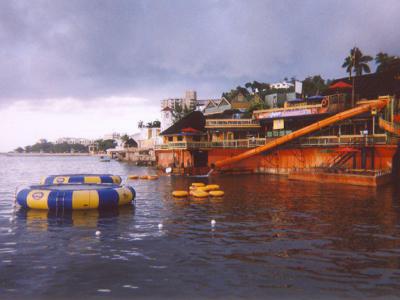
Aquasol is known for its variety of recreational activities, including jet skiing, parasailing, banana boat rides, and beach volleyball, ensuring entertainment for everyone. Children can enjoy a dedicated play area, allowing parents to relax while keeping an eye on them.
For visitors looking for a calmer experience, beachfront loungers and umbrellas provide comfort, while scattered trees create small shaded retreats throughout the beach.
The park’s sandy beach is a central attraction, perfect for basking in the warm Caribbean sun or playing in the shallow, crystal-clear waters. Coconut trees line the shore, forming a natural barrier from the nearby “hip strip” and offering shaded spots for those seeking respite from the sun.
Aquasol is known for its variety of recreational activities, including jet skiing, parasailing, banana boat rides, and beach volleyball, ensuring entertainment for everyone. Children can enjoy a dedicated play area, allowing parents to relax while keeping an eye on them.
For visitors looking for a calmer experience, beachfront loungers and umbrellas provide comfort, while scattered trees create small shaded retreats throughout the beach.
8) Hip Strip (must see)
The Hip Strip, stretching along Gloucester Avenue, is one of the city’s most popular tourist destinations. Known for its lively atmosphere, the strip is lined with an array of bars, nightclubs, eclectic shops, and restaurants, providing visitors with a wide selection of entertainment, dining, and shopping experiences. The area is particularly attractive for tourists seeking a mix of culture, leisure, and nightlife in one convenient location.
Located just a short walk from beautiful beaches such as Doctor’s Cave and Aquasol Beach Park, the Hip Strip complements a day spent by the sea. Visitors can enjoy fresh seafood, international cuisine, or tropical cocktails while soaking in the vibrant street life. The area also features craft markets where artisans sell handmade jewelry, wood carvings, and other local products, offering a glimpse into Jamaica’s rich cultural heritage.
In addition to dining and shopping, the Hip Strip includes hotels, internet cafes, pharmacies, parks, and even a Canadian Consulate. Attractions such as Fort Montego and nearby cultural sites provide further opportunities for exploration, allowing visitors to experience both modern amenities and historical landmarks in close proximity.
Nightlife on the Hip Strip is equally diverse, ranging from relaxed lounges to energetic clubs with live music and DJ performances. Street performers, local artists, and seasonal festivals add to the dynamic environment, ensuring that each visit offers something new.
Gloucester Avenue offers a vibrant mix of experiences that capture Montego Bay’s spirit, making the Hip Strip a central hub for socializing, culture, and entertainment.
Located just a short walk from beautiful beaches such as Doctor’s Cave and Aquasol Beach Park, the Hip Strip complements a day spent by the sea. Visitors can enjoy fresh seafood, international cuisine, or tropical cocktails while soaking in the vibrant street life. The area also features craft markets where artisans sell handmade jewelry, wood carvings, and other local products, offering a glimpse into Jamaica’s rich cultural heritage.
In addition to dining and shopping, the Hip Strip includes hotels, internet cafes, pharmacies, parks, and even a Canadian Consulate. Attractions such as Fort Montego and nearby cultural sites provide further opportunities for exploration, allowing visitors to experience both modern amenities and historical landmarks in close proximity.
Nightlife on the Hip Strip is equally diverse, ranging from relaxed lounges to energetic clubs with live music and DJ performances. Street performers, local artists, and seasonal festivals add to the dynamic environment, ensuring that each visit offers something new.
Gloucester Avenue offers a vibrant mix of experiences that capture Montego Bay’s spirit, making the Hip Strip a central hub for socializing, culture, and entertainment.
9) Doctor's Cave Beach
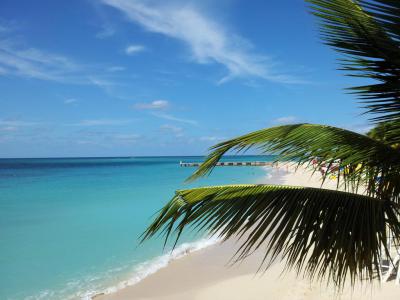
Doctor's Cave Beach is a renowned destination featuring five miles of pristine white sand that attracts travelers seeking serenity and relaxation. This iconic beach has a rich history, once accessible only through a cave on the property of Dr. Alexander James McCatty, its owner in the 1800s. In 1906, Dr. McCatty generously donated the land to the public, opening the beach for everyone to enjoy.
The beach’s appeal extends beyond its scenic shores, as its turquoise waters are believed to have healing properties. Its reputation for rejuvenation was reinforced by British doctor Sir Herbert Baker, who praised the water’s curative virtues in an article, further boosting the beach’s popularity.
Today, Doctor's Cave Beach operates as the Doctor's Cave Bathing Club, welcoming visitors to experience its natural beauty. The powdery sands and clear waters provide an inviting setting for sunbathing, swimming, and water sports. The surrounding area also offers nearby attractions, making it an ideal spot for exploration and leisure.
The beach’s appeal extends beyond its scenic shores, as its turquoise waters are believed to have healing properties. Its reputation for rejuvenation was reinforced by British doctor Sir Herbert Baker, who praised the water’s curative virtues in an article, further boosting the beach’s popularity.
Today, Doctor's Cave Beach operates as the Doctor's Cave Bathing Club, welcoming visitors to experience its natural beauty. The powdery sands and clear waters provide an inviting setting for sunbathing, swimming, and water sports. The surrounding area also offers nearby attractions, making it an ideal spot for exploration and leisure.
The Most Popular Cities
/ view all