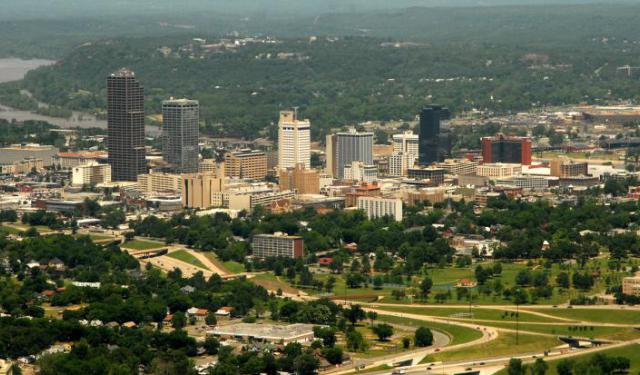


Little Rock Introduction Walking Tour (Self Guided), Little Rock
Little Rock, the capital of Arkansas, is a cultural, economic, government, and transportation center of the State. Sitting on the south bank of the Arkansas River, it became the capital of Arkansas Territory in 1821 and was incorporated as a city in 1831.
The name "Little Rock" (French: La Petite Roche) was coined by the French explorer and trader Jean-Baptiste Bénard de la Harpe in 1722, and was due to the stone formation along the riverbank used by early travelers as a landmark for river crossing from the flat Mississippi Delta region to the Ouachita Mountain foothills. Though there was an effort to officially name the city "Arkopolis" upon its founding in the 1820s, the name Little Rock is eventually what stuck.
During the civil right movement, Little Rock is where the first desegregation of school took place. The city is also the birthplace of the 42nd US president, William J. Clinton and where Clinton started his political career and launched his bid for the US presidency.
There are historical landmarks in the city, located mainly in the downtown area. The most prominent among them are the Old State House Museum, the Historic Arkansas Museum, the William J. Clinton Presidential Library and Museum, and more. Take this self-guided walk to explore these and other major landmarks of Little Rock, as well as some interesting shopping and entertainment sights.
The name "Little Rock" (French: La Petite Roche) was coined by the French explorer and trader Jean-Baptiste Bénard de la Harpe in 1722, and was due to the stone formation along the riverbank used by early travelers as a landmark for river crossing from the flat Mississippi Delta region to the Ouachita Mountain foothills. Though there was an effort to officially name the city "Arkopolis" upon its founding in the 1820s, the name Little Rock is eventually what stuck.
During the civil right movement, Little Rock is where the first desegregation of school took place. The city is also the birthplace of the 42nd US president, William J. Clinton and where Clinton started his political career and launched his bid for the US presidency.
There are historical landmarks in the city, located mainly in the downtown area. The most prominent among them are the Old State House Museum, the Historic Arkansas Museum, the William J. Clinton Presidential Library and Museum, and more. Take this self-guided walk to explore these and other major landmarks of Little Rock, as well as some interesting shopping and entertainment sights.
How it works: Download the app "GPSmyCity: Walks in 1K+ Cities" from Apple App Store or Google Play Store to your mobile phone or tablet. The app turns your mobile device into a personal tour guide and its built-in GPS navigation functions guide you from one tour stop to next. The app works offline, so no data plan is needed when traveling abroad.
Download The GPSmyCity App



Little Rock Introduction Walking Tour Map
Guide Name: Little Rock Introduction Walking Tour
Guide Location: USA » Little Rock (See other walking tours in Little Rock)
Guide Type: Self-guided Walking Tour (Sightseeing)
Tour Duration: 2 Hour(s)
Travel Distance: 3.8 Km or 2.4 Miles
Guide Location: USA » Little Rock (See other walking tours in Little Rock)
Guide Type: Self-guided Walking Tour (Sightseeing)
Tour Duration: 2 Hour(s)
Travel Distance: 3.8 Km or 2.4 Miles
Sights Featured in This Walk
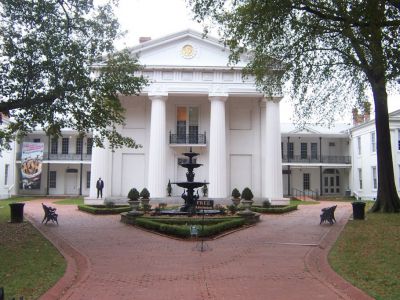

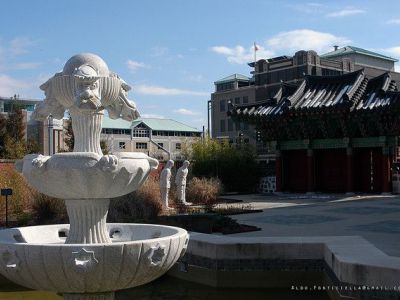
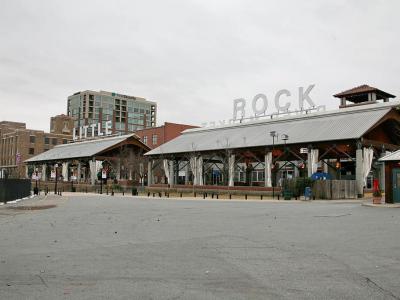
4) River Market (must see)
Walking Tours in Little Rock, Arkansas
Create Your Own Walk in Little Rock
Creating your own self-guided walk in Little Rock is easy and fun. Choose the city attractions that you want to see and a walk route map will be created just for you. You can even set your hotel as the start point of the walk.

Bill Clinton's Little Rock
Bill Clinton, the 42nd President of the United States and the former Governor of Arkansas, has strong ties to Little Rock, where several significant locations mark his legacy. Besides the Capitol, you can see many other places where he spent time while living in the city. These locations reveal a lot about his character, hobbies, and job.
The Clinton Presidential Library stands as a symbol of... view more
Tour Duration: 2 Hour(s)
Travel Distance: 5.7 Km or 3.5 Miles
The Clinton Presidential Library stands as a symbol of... view more
Tour Duration: 2 Hour(s)
Travel Distance: 5.7 Km or 3.5 Miles
Little Rock History Walking Tour
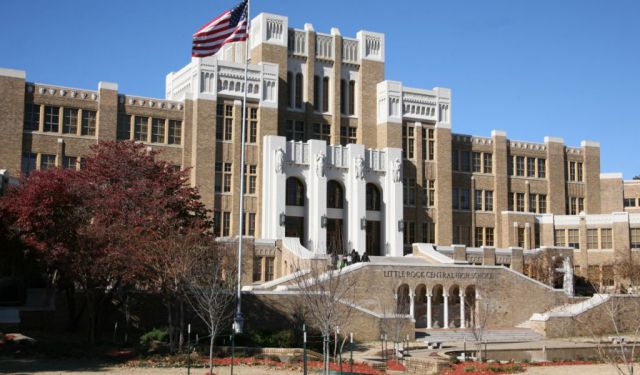
Lying in the heart of the State of Arkansas, separated from its sister city of North Little Rock by the Arkansas River, the city of Little Rock boasts an abundance of cultural attractions and monumental landmarks, which have been luring tourists for more than a century. Among them are a bunch of family-friendly locations that saw momentous events in American history.
One such notable site is... view more
Tour Duration: 2 Hour(s)
Travel Distance: 3.8 Km or 2.4 Miles
One such notable site is... view more
Tour Duration: 2 Hour(s)
Travel Distance: 3.8 Km or 2.4 Miles
The Most Popular Cities
/ view all